%20--%3e%3cdefs%3e%3cstyle%3e%20.st0%20{%20fill:%20%23a5d028;%20}%20.st1%20{%20fill:%20%23fff;%20}%20.st2%20{%20fill:%20%231de2db;%20}%20.st3%20{%20fill:%20%2341bdf9;%20}%20%3c/style%3e%3c/defs%3e%3cg%20id='logo-unaice-line'%3e%3cpath%20class='st1'%20d='M143.3,36.1c-1.2,0-2.1-.9-2.1-2.1V12.2c0-1.2.9-2.1,2.1-2.1s2.1.9,2.1,2.1v21.8c0,1.2-.9,2.1-2.1,2.1ZM143.2,6.2c-1.3,0-2.4-1-2.4-2.4v-.8c0-1.3,1-2.4,2.4-2.4s2.4,1.1,2.4,2.4v.8c0,1.3-1.1,2.4-2.4,2.4Z'/%3e%3cpath%20class='st3'%20d='M23.7,36.1H2c-.5,0-1-.4-1-1V2.3c0-.5.4-1,1-1h21.7c.5,0,1,.4,1,1v32.9c0,.5-.4,1-1,1'/%3e%3cpath%20class='st2'%20d='M41.8,36.1h-14.4c-.5,0-1-.4-1-1v-14.5c0-.5.4-1,1-1h14.4c.5,0,1,.4,1,1v14.5c0,.5-.4,1-1,1'/%3e%3cpath%20class='st0'%20d='M41.8,17.9h-14.4c-.5,0-1-.4-1-1V2.2c0-.5.4-1,1-1h14.4c.5,0,1,.4,1,1v14.7c0,.5-.4,1-1,1'/%3e%3c/g%3e%3cpath%20class='st1'%20d='M196.4,29.2c-2.1,2.1-3.6,3.2-7.1,3.2s-7.4-2.3-8.2-7.4h16.7c2.7,0,2.9-1.9,2.7-4-.7-6.2-5.3-11.2-11.6-11.2s-12.3,5.1-12.3,13.4,5.4,13.3,12.6,13.3,8.3-2.6,10-4.3c1.8-2.1-1.2-4.7-2.8-3ZM188.9,13.7c4.7,0,7.3,4.1,7.6,7.3h-15.3c.7-4.3,3.4-7.3,7.7-7.3Z'/%3e%3cpath%20class='st1'%20d='M132.1,12.9c-1.9-1.9-5.4-2.9-8.2-2.9s-5.3.5-8.2,1.8c-2.4,1-.9,5,1.6,3.7,2.1-1,3.3-1.5,6.3-1.5s6.7,1.1,6.8,6.1c-1.8-.5-2.7-.8-6.9-.8-6.8,0-11.3,3.3-11.3,8.8s4.1,8.4,10.1,8.4,5.4-.6,8.3-2.9v.5c0,2.8,4.2,2.6,4.2,0v-13.8c0-3.1-.8-5.5-2.7-7.4ZM130.4,26.2c0,3.6-3.4,6.3-8,6.3s-5.9-1.7-5.9-4.6,2.5-4.6,6.8-4.6c0,0,4.8,0,7.1,1v1.9Z'/%3e%3cpath%20class='st1'%20d='M80,36.1c-1.2,0-2.1-.9-2.1-2.1V3.4c0-1.2,1-2.2,2.2-2.2h.4c.8,0,1.4.4,2,1.1l20.2,25.7V3.4c0-1.2.9-2.1,2.1-2.1s2.1.9,2.1,2.1v30.7c0,1.1-.5,2-1.9,2s-1.9-.8-2.2-1.2l-20.7-26.2v25.3c0,1.2-.9,2.1-2.1,2.1Z'/%3e%3cpath%20class='st1'%20d='M60.2,36.5c-5.1,0-10.5-4.3-10.5-10.7v-13.5c0-1.2.9-2.1,2.1-2.1s2.1.9,2.1,2.1v13.1c0,4.5,2.5,7.1,6.6,7.1s7.3-3.2,7.3-7.5v-12.7c0-1.2.9-2.1,2.1-2.1s2.1.9,2.1,2.1v21.8c0,2.8-4.2,2.7-4.2,0v-.5c-1.5,1.6-3.3,2.9-7.6,2.9Z'/%3e%3cpath%20class='st1'%20d='M163.8,36.5c-7.1,0-13.1-6-13.1-13.3s4.8-13.5,13.5-13.5c4.4,0,6.9,2,8.8,3.7,1.8,1.5-.8,5.1-2.8,3.3-.8-.8-3.3-3-6.4-3-4.8,0-8.6,4-8.6,9.2s3.8,9.3,8.6,9.4c3.7,0,4.9-1,7-3.1,1.6-1.8,4.6,1,3,2.8-3,3-5.7,4.5-10,4.5h0Z'/%3e%3c/svg%3e)
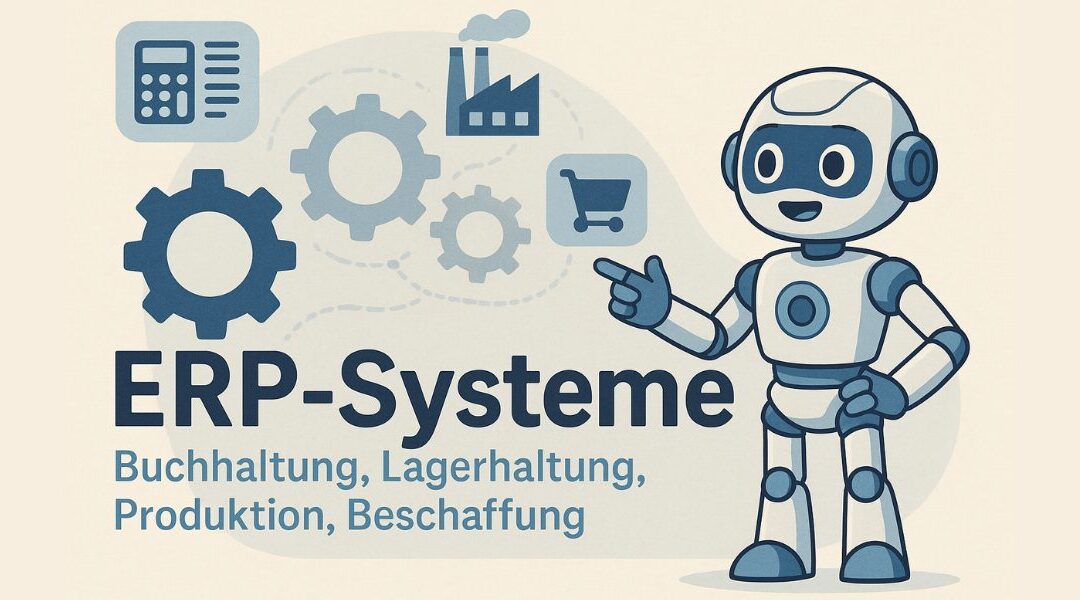
Today, ERP systems form the basis of digital business management for many companies. In this article, we explain step by step what ERP systems are, how they work, and why they are becoming increasingly important for small businesses, medium-sized companies, and large corporations.
The term ERP stands for Enterprise Resource Planning. It refers to software that connects all important areas of a company. These include, for example, accounting, warehouse management, production, procurement, and planning.
ERP systems provide a central database that all departments can access. This results in fewer errors, greater transparency, and significantly higher efficiency. ERP solutions are now an integral part of modern companies, especially in German-speaking countries.
This article is aimed at anyone looking for a clear and simple explanation—without technical jargon, but with real practical relevance.
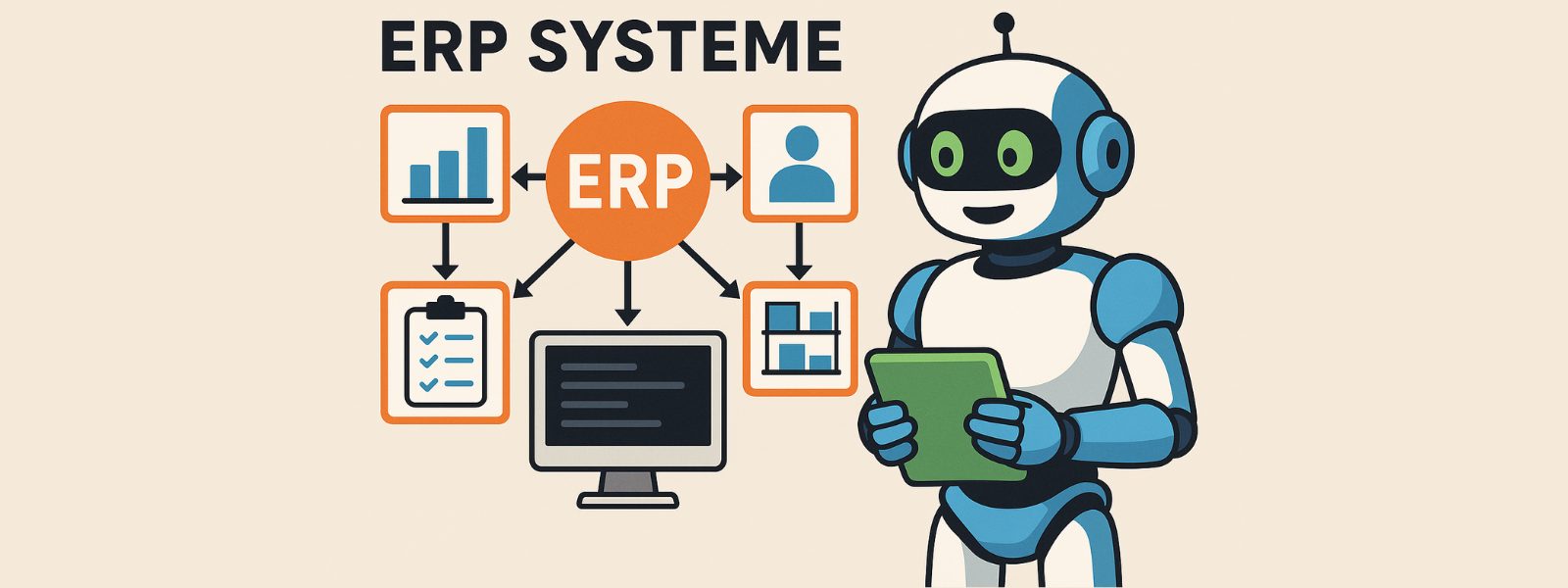
What are ERP systems? An easy-to-understand definition for beginners
ERP systems are software solutions that companies use to centrally manage and control their resources. These include personnel, materials, operating resources, time, and money. The aim is to bundle all information in a central database.
In the past, many companies worked with individual programs or Excel lists. Today, this is hardly practical anymore. ERP systems solve this problem by consolidating all data and making it available in real time.
A good, neutral explanation of the term ERP can also be found at SAP, one of the best-known providers in this field. It clearly explains why ERP software has become the basis of digital processes for many companies:
SAP
Typical areas covered by an ERP system are:
When data comes from many sources, a common problem arises: information is unstructured or inconsistent. This is where it gets exciting, because clean data is the basis of every ERP system. If you want to understand more about how a good database is created, you will find a helpful explanation at uNaice:
uNaice – Understanding and optimizing databases
Practical note:
Many ERP projects fail not because of the software, but because of the quality of the data. Companies that structure and automate their data early on save a tremendous amount of time and money later on.
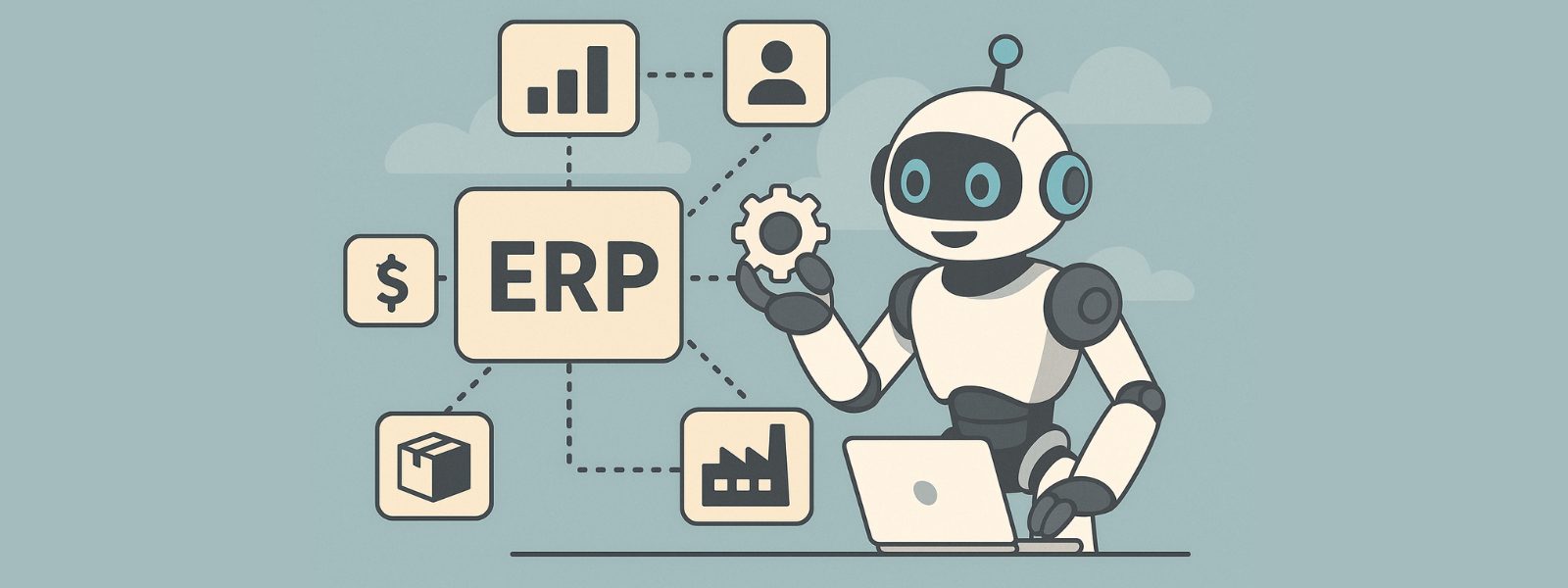
How do ERP systems work in everyday life?
The functionality of ERP systems is essentially simple to explain. All departments within a company work with a central database. Each piece of information is entered only once and is immediately available to everyone.
When an order is received in retail, several processes interact:
These automated processes save time and increase productivity. At the same time, the error rate is significantly reduced.
ERP systems operate according to a clear rule. A typical rule is:
If inventory levels are too low, automated order processing starts automatically.
This allows companies to maintain full control over their processes at all times. Resource planning is particularly important in this context. It encompasses materials, personnel, operating resources, and time.
Modern ERP software provides this data in real time. This improves analysis, increases transparency, and supports corporate management.
The platform erp-system.online also provides a clear overview of how ERP works and explains the term ERP.
Practical note:
Even the best functionality is of little use if the data is unstructured. This is precisely where many ERP projects fail. Clean data is the basis of all automation.
What modules ERP systems contain and why they are so important
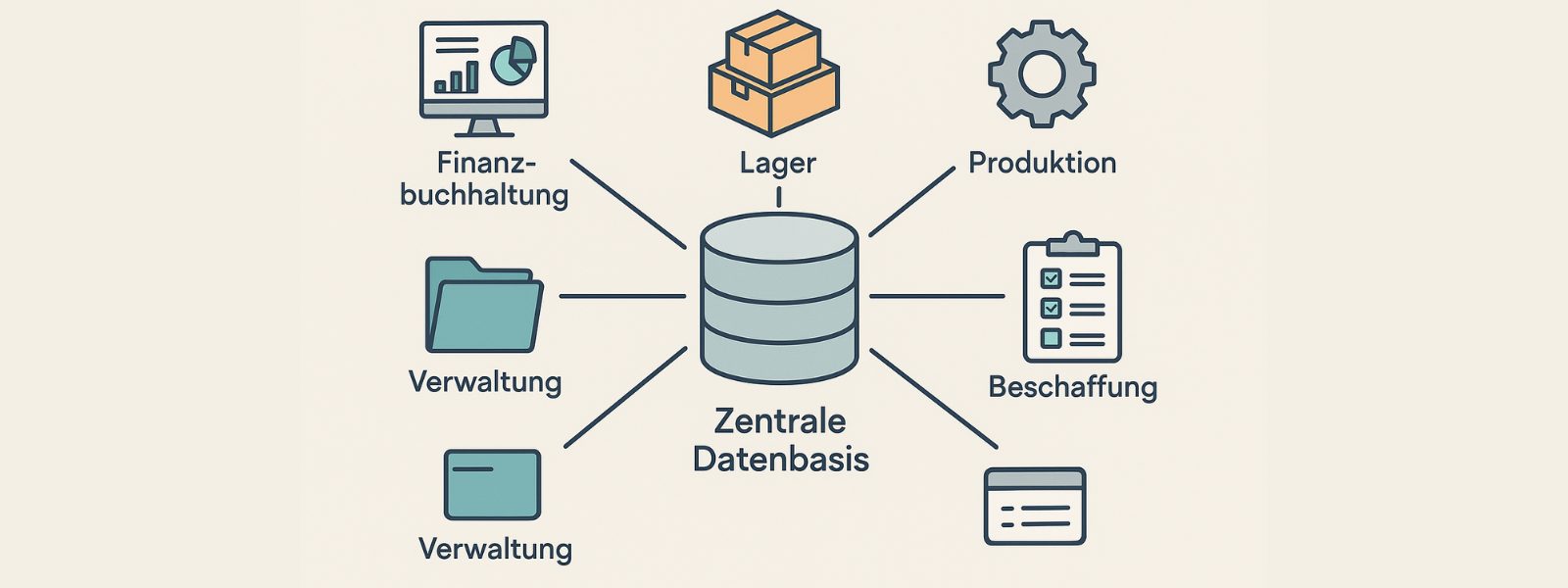
ERP systems consist of individual modules. Each module covers a specific area within the company. Companies select the modules based on their size, industry, and focus.
The most important ERP modules include:
All modules access the same central database. This prevents data silos from forming. Information is consistent and available at all times.
In retail and manufacturing in particular, modules such as material requirements planning, demand forecasting, and inventory management are crucial to the performance of the entire system.
A major advantage of modern ERP software is its high degree of flexibility. Companies can start with just a few modules and add new modules later on. This further development helps them to respond to new requirements.
In practice, however, a problem often arises:
The data for these modules is unstructured. Different formats, missing values, or outdated information make it difficult to use.
Those who start working on optimizing the database early on lay the foundation for functioning modules. You can find a simple explanation of this here:
uNaice – Data preparation explained simply

Cloud ERP as a modern software solution for greater flexibility
Cloud ERP is a modern form of ERP software. It is no longer operated on your own servers, but is used via the Internet. This significantly reduces costs and increases flexibility.
Companies access the system via their browser, whether in the office, working from home, or on the go. It is quick and easy to use.
A major advantage of cloud ERP is automatic further development. Updates, security, and new features are provided centrally. The company does not have to take care of this itself.
This is a clear advantage, especially when it comes to new requirements. Processes can be adapted more quickly. Adapting to industry-specific requirements is also easier than with old on-premise systems.
Cloud ERP also supports greater efficiency gains. Data is available in real time. Decisions can be made more quickly.
Another point is implementation. Cloud solutions are usually quicker to deploy. Nevertheless, the same applies here:
without clean data, functionality suffers.
If you would like to get a neutral overview of cloud ERP and ERP software, you can find one at gob.de, for example.
Practical tip:
Cloud ERP only reaches its full potential when data from different sources is cleanly consolidated. This is precisely where it is decided whether automation really works.

ERP systems used by small businesses and medium-sized companies
The use of ERP systems is no longer relevant only for large corporations. Small businesses and medium-sized companies also benefit greatly from a centralized solution.
Many businesses start with simple requirements. The focus is on accounting, inventory management, and order processing. However, as the business grows, the requirements for transparency and control increase.
ERP systems help to structure and automate processes. This increases productivity and ensures clear workflows.
Support in the form of suitable modules and intuitive user guidance is particularly important here. Employees must accept the system. That is why training and ease of use play such a major role.
Medium-sized businesses often face a typical problem:
Data is stored in many different systems. Excel, old software, manual lists. Creating a central database becomes a challenge.
This is precisely where there is a great opportunity for optimization. Companies that structure their data lay the foundation for scalable ERP processes.
A helpful introduction to this topic is structured database creation, as described here:
Accounting in the ERP system – why it is at the heart of corporate management
Accounting is one of the most important areas in ERP systems. This is where all financial information comes together. Income, expenses, invoices, and payroll are recorded centrally.
In the past, many companies worked with separate programs. Today, ERP software ensures that all data is stored in one place. This saves time and reduces errors.
An ERP system connects accounting directly with other areas, such as purchasing, warehousing, or sales. This creates a continuous process chain.
A major advantage is the automatic display of figures in real time. Companies can immediately see how sales, costs, and liquidity are developing. This makes it easier to assess the current situation.
Typical accounting functions in the ERP system
| Function | Benefits for the company |
|---|---|
| financial accounting | central management of all bookings |
| payroll | automated payroll for employees |
| cost centers | clear allocation of expenses |
| reporting | rapid evaluation and analysis |
| interfaces | connection to banks and tax advisors |
This central solution is particularly crucial for medium-sized businesses. It creates transparency and supports informed decision-making.
If you would like to get a neutral overview of ERP software and accounting, you can find one at Handelsblatt, for example.
Practical note:
Accounting is only as good as the data that goes into it. Cleanly structured data from other modules is the basis for reliable figures.
Implementing ERP software – explained step by step
The implementation of an ERP system is a crucial moment for any company. It determines whether the software will actually be used later on or cause problems in everyday use.
Many companies underestimate this step. They choose a good solution but do not allow enough time for preparation and implementation.
A successful implementation usually follows a clear process.
Typical steps in ERP implementation
Consulting is particularly important in the early stages. External experience helps to avoid typical mistakes.
Data quality is a common stumbling block. Old systems, Excel lists, and manual files need to be merged. Without a clean structure, the functionality of the ERP system suffers.
This often raises the key question:
How can we prepare our data so that the new system really works?
This is precisely where a great opportunity lies. Companies that structure their data cleanly before implementation save a lot of time and money later on.
A helpful introduction to this topic is the structured preparation and integration of data, as explained here:
uNaice – Data Mapping & Integration
Increased efficiency through ERP systems in daily practice
Increased efficiency is one of the most important reasons why companies implement ERP systems. The goal is to make processes simpler, faster, and more transparent.
In everyday life, this means:
ERP software connects all areas with each other. Information no longer needs to be searched for. It is available directly on a central page in the system.
This has a particularly strong impact in practice when processes are automated. Orders, invoices, and warehouse movements run in the background. Employees can concentrate on value-adding tasks.
Examples of efficiency gains with ERP systems
| Area | before ERP | with ERP |
|---|---|---|
| data collection | often manually | once centrally |
| coordination | many inquiries | clear process |
| transparency | delayed | real-time |
| error rate | high | significantly reduced |
| productivity | highly dependent on individuals | stable and predictable |
An important point is support for employees. ERP systems provide clear structures and help decisions to be made more quickly.
Practical experience shows that:
The greatest increase in efficiency comes not from new features, but from better data and clear processes.
Interim conclusion:
ERP systems are not an end in themselves. They demonstrate their value where they truly simplify everyday work.
Overview of the development and advancement of ERP systems
The development of ERP systems has changed significantly in recent years. In the past, ERP solutions were cumbersome and inflexible. Today, the focus is on adaptability and user-friendliness.
Modern ERP software is constantly evolving. New features are added and existing processes are improved. This further development is important in order to keep pace with the market.
Factors influencing development include:
ERP providers analyze how their systems are used in practice. New functions are developed on this basis. This development is often closely linked to feedback from real projects.
Typical drivers of ERP development
| Driver | Significance for companies |
|---|---|
| R&D | new technological possibilities |
| practical feedback | improvements from real-world use |
| scalability | adaptation to growing companies |
| security | protection of sensitive data |
| integration | connection of additional systems |
It is important for companies to keep an eye on this development. An ERP system should not only be suitable today, but also tomorrow.
Note for decision-makers:
Anyone who sees ERP as just software is thinking too short-term. ERP is a long-term system that must grow with the company.

Support and consulting for ERP systems in companies
The right support is a crucial factor in ERP systems. Many companies underestimate this point. Yet good advice often determines the success or failure of a project.
ERP software has a profound impact on existing processes. That's why companies need clear planning, a comprehensible implementation, and long-term support.
Support does not begin at go-live. It starts much earlier, namely with the analysis of existing processes. This is where we determine which solution is truly suitable.
Forms of support for ERP projects
| Type of support | Benefits for businesses |
|---|---|
| consulting before selection | avoiding wrong decisions |
| support with planning | clear goals and structure |
| training of employees | greater acceptance in everyday worklife |
| technical support | safety during operation |
| further development | adaptation to new requirements |
Processes are often complex, especially in commerce and industry. Without support, projects can quickly stall.
Modern ERP providers also work with technologies such as artificial intelligence to further automate processes. This increases efficiency, but requires clean data.
Practical note:
Companies that invest in consulting early on save time, money, and stress later on.
Choosing an ERP system—what companies should really look for
The selection of an ERP system is a strategic decision. It influences processes, costs, and productivity for many years to come.
Many companies start by comparing features. This is important, but it is not enough. The decisive factor is whether the solution is suitable for your own industry.
Industry-specific requirements vary greatly. Manufacturing, retail, and services have different priorities when it comes to planning and processes.
Important criteria when making your selection
| Criteria | meaning |
|---|---|
| industry suitability | mapping of real processes |
| scalability | growth without a change of system |
| integration | connection of additional systems |
| user-friendliness | acceptance within the company |
| future-proofing | further development of the system |
Many well-known ERP systems come from large providers such as Microsoft or Oracle. These solutions are powerful, but they are not automatically the ideal solution for every company.
The ideal solution is always the one that fits the size, structure, and goals.
Tip:
It is not the software that determines success, but how well it is used.

History of ERP systems – from simple systems to platforms
The history of ERP systems began in industry. Early systems were primarily used for production planning and materials management.
Over time, additional functions were added. Accounting, human resources, and logistics were integrated. This is how the classic ERP system came into being.
Today, ERP solutions are platforms. They connect many systems, data sources, and users. The trend is clearly moving toward automation and networking.
Results from research and practice are driving this development forward.
Classification:
ERP systems have evolved from purely administrative tools to strategic control systems.
Overview of decision-making in ERP projects
Decision-making for an ERP system should be structured. Gut decisions often lead to problems.
Companies should take time for analysis, evaluation, and comparison.
Typical decision-making process
It is important to involve all relevant departments. This creates acceptance and transparency.
Good decision-making takes into account not only technology, but also people and processes.
Frequently asked questions about ERP systems – concise answers
Many questions about ERP systems arise in everyday life. Here are the most important answers in brief.
The most important facts in brief
Frequently asked questions from practice
For which companies is an ERP system worthwhile?
For almost any company that wants to grow or manages complex processes.
How important is preparation?
Very important. Without proper planning, problems will arise later on.
Is there any literature available for further reading?
Yes, there is extensive literature on ERP systems, process management, and digitization, especially for decision-makers in small and medium-sized businesses.
This article as a guide for ERP decisions
This article is intended to help companies better understand and classify ERP systems. It provides a structured overview without committing to a single provider.
Large solutions such as Microsoft or Oracle demonstrate how broad the market is. At the same time, it is clear that not every company automatically needs a complex corporate solution. The specific needs of the company are always the decisive factor.
Why this article helps with the selection process
The article brings together the basics, practical examples, and typical questions relating to ERP systems. It provides initial guidance and helps you ask the right questions when talking to providers, consultants, or internal teams.
A comparison of solutions from Microsoft and Oracle in particular shows how important thorough preparation and clear goal definition are.